
Introduction
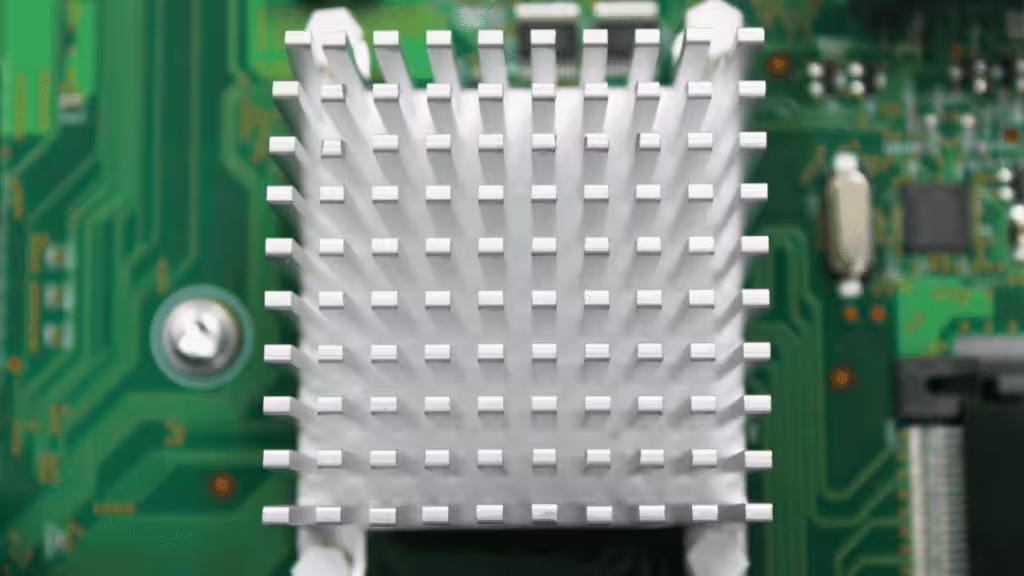
A heat sink is a passive thermal device that draws heat away from electronic components and releases it into the surrounding air, keeping chips within safe operating temperatures. This matters more than most engineers realize: thermal stress remains the #1 cause of electronics degradation and premature failure.
In this guide, we’ll walk through how heat sinks actually work, the main types available, key design principles, material and manufacturing tradeoffs, and how to choose and install the right one for your application.
What Is a Heat Sink?
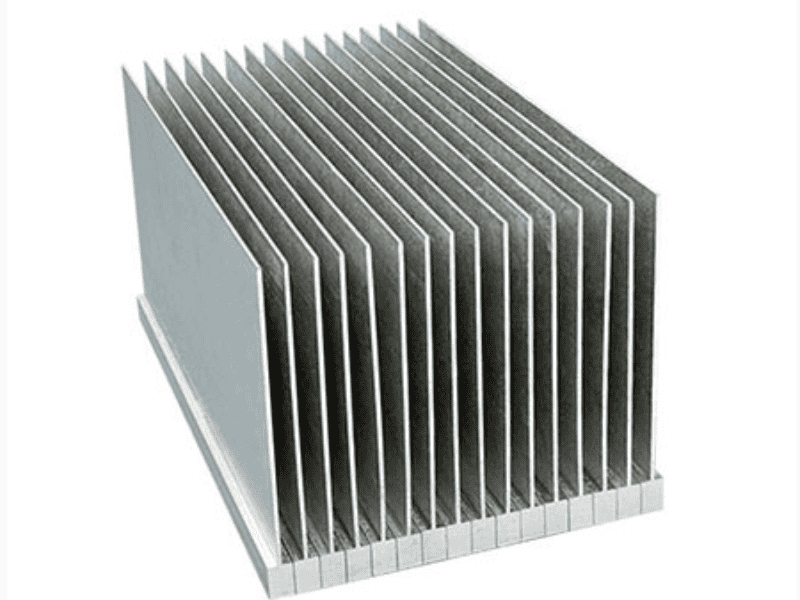
A heat sink is a passive cooling component designed to dissipate heat from a hot electronic part — such as a CPU, MOSFET, or LED — into a cooler surrounding medium, typically air. It contains no moving parts and consumes no power, relying entirely on thermal conduction and convection.
Every heat sink has three core elements:
- Base — the flat surface that contacts the heat source
- Fins — thin protrusions that expand surface area for faster heat dissipation
- Attachment — clips, screws, or thermal adhesive securing it to the component
The two dominant materials are aluminum (lightweight, cost-effective) and copper (higher thermal conductivity, but heavier and more expensive).
Heat Transfer Principles
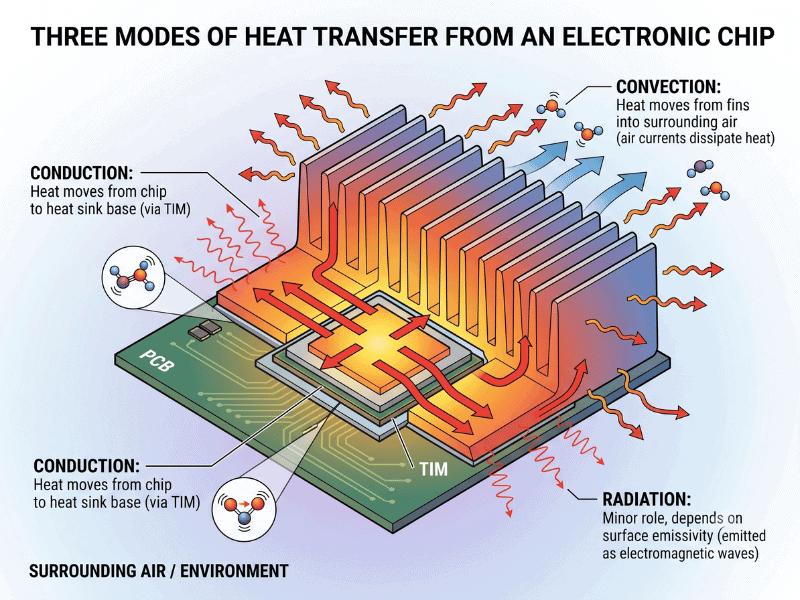
- Conduction — heat moves from chip to heat sink base
- Convection — heat moves from fins into surrounding air
- Radiation — minor role, depends on surface emissivity
- Link to fin surface area: more area = more convection capacity
- Introduce thermal resistance (°C/W) as the key selection metric — lower is better
How Heat Sinks Work
Heat removal follows a clear five-stage path: chip → TIM → base → fins → air. The chip generates heat, which conducts through a thin layer of thermal interface material into the heat sink base, spreads across the fins, and finally transfers into the surrounding air.
Thermal Interface Material (TIM) — such as thermal paste, pads, or graphite sheets — fills microscopic air gaps between the chip and base. Since air is a poor conductor, TIM dramatically lowers contact resistance and improves heat flow.
The final stage relies on convection: either passive (natural airflow, silent, no power) or forced (fan-driven, far higher cooling capacity).
Types of Heat Sinks
Overview
Heat sinks fall into three main categories based on how they move heat into the air: passive, active, and hybrid. They can also be classified by cooling medium — air-cooled (most common) or liquid-cooled (used in high-density servers and performance PCs).
Passive Heat Sinks
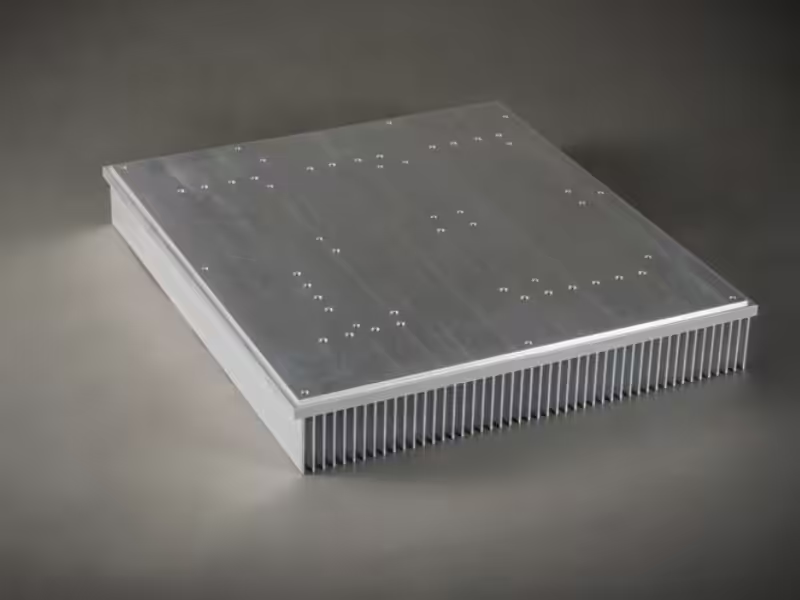
Passive heat sinks have no moving parts and rely entirely on natural convection. They are silent, maintenance-free, and highly reliable — ideal for low-power devices under 25W, such as LED lighting, fanless industrial PCs, and embedded controllers. Their main limitation: insufficient cooling capacity for high-TDP CPUs or GPUs.
Active Heat Sinks
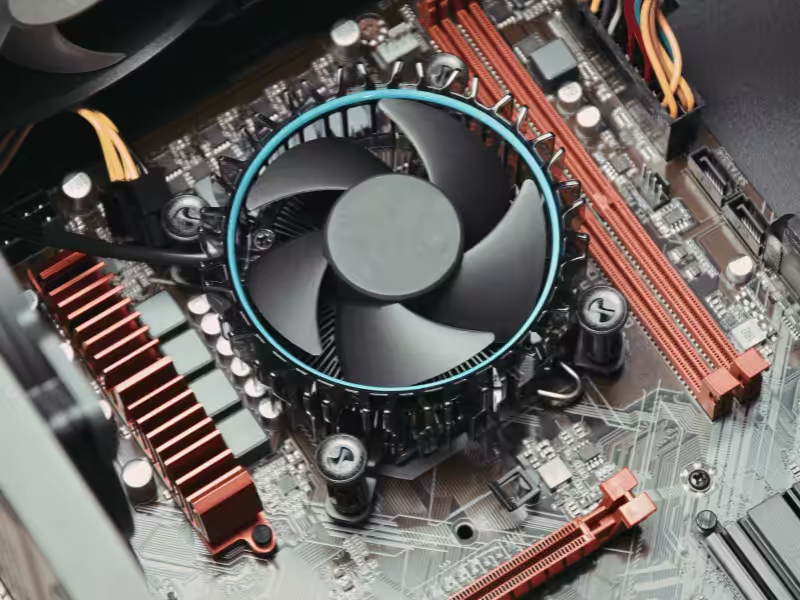
Active heat sinks pair a finned base with a mechanical airflow source — typically axial fans, blowers, or liquid pumps. They deliver significantly higher cooling performance, but introduce tradeoffs: audible noise, vibration, power draw, and a mechanical failure point. Common in desktop CPUs, GPUs, and power amplifiers.
Hybrid Heat Sinks
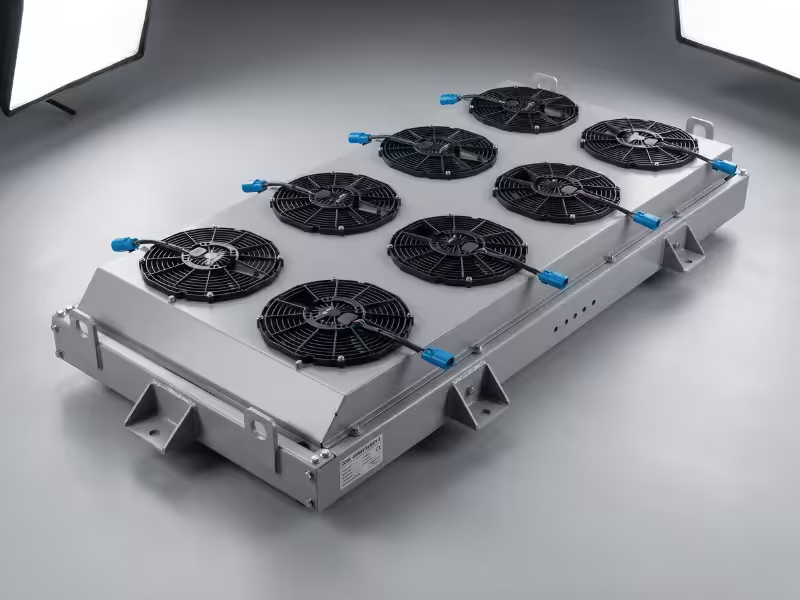
Hybrid designs combine passive and active modes. The fan stays idle during light loads and engages only when temperature crosses a threshold — saving energy, reducing noise, and extending fan lifespan. Widely used in modern laptops and smart thermal systems.
Heat Sink Design Principles
Effective heat sink design balances four key variables:
- Fin geometry — Taller, denser fins maximize surface area but increase airflow resistance. The optimal spacing depends on whether cooling is natural or forced convection.
- Material selection — Copper offers ~60% higher thermal conductivity than aluminum, but costs roughly 3× more and weighs significantly more. Hybrid copper-base + aluminum-fin designs balance both.
- Heat pipes & vapor chambers — Move heat rapidly from a concentrated source to remote fin arrays, essential for high heat-flux density applications like CPUs and high-power LEDs.
- TDP matching — Always size the heat sink with a 20–30% safety margin above the device’s rated TDP.
Detailed Design Elements
Fin Geometry
Three parameters define fin performance: height, thickness, and spacing.
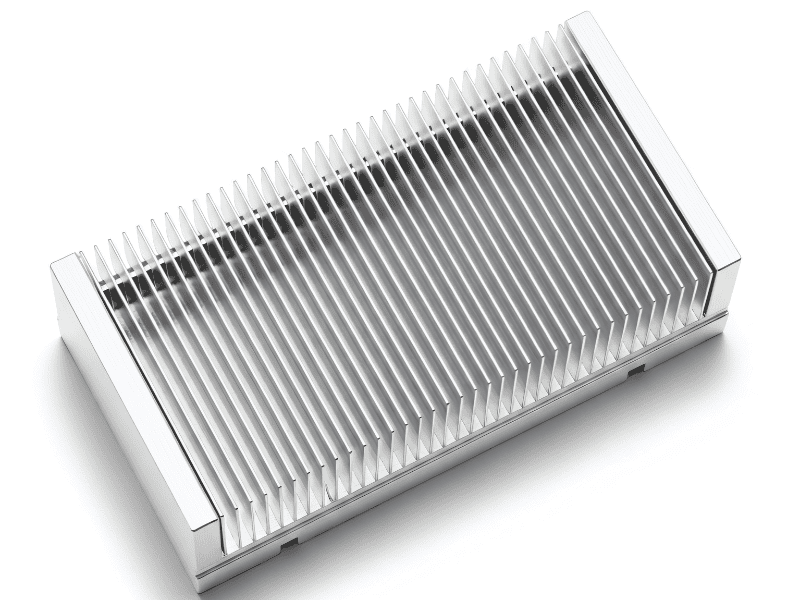
- Tall, thin fins maximize surface area but demand strong airflow to overcome boundary-layer resistance.
- Wide fin spacing (≥3 mm) suits low-airflow or passive applications, allowing natural convection to circulate freely.
- Narrow spacing (<2 mm) delivers higher density but only performs under forced airflow from fans or blowers.
Best practice: prototype multiple fin layouts and benchmark each under the target airflow rate before committing to tooling.
Base, TIM, and Contact
The base-to-chip interface is often the biggest source of thermal resistance. Two factors matter most: base flatness and surface finish (mirror-polished bases outperform machined ones).
Correct thermal paste application:
- Clean both surfaces with isopropyl alcohol (≥99%).
- Apply a pea-sized dot at the center of the chip.
- Mount evenly using a cross-pattern torque sequence.
- Never spread paste manually — mounting pressure distributes it uniformly and eliminates air pockets.
Airflow and Orientation
Heat sink performance can drop 30–40% if airflow direction is misaligned. Fins should run parallel to the dominant airflow path — never perpendicular.
Recommended airflow strategies:
- Front-to-back in rack servers and desktop chassis
- Bottom-to-top in passive or convection-driven enclosures
- Intake fans near heat sources, exhaust fans on the opposite side to create a clean diectional path
Material and Manufacturing
Materials and Manufacturing
Aluminum vs. Copper
| Property | Aluminum (6063) | Copper (C1100) |
|---|---|---|
| Thermal conductivity | 237 W/m·K | 401 W/m·K |
| Density | 2.7 g/cm³ | 8.96 g/cm³ |
| Relative cost | 1× (baseline) | ~3× |
| Machinability | Excellent | Moderate |
| Typical use | General-purpose, LED, consumer | High heat-flux, RF, server |
Aluminum dominates ~80% of the market due to its cost-weight-performance balance. Copper is reserved for thermal-critical zones — bases, heat pipes, or hybrid assemblies.
Four Common Manufacturing Methods
- Extrusion — Economical and ideal for high-volume runs; limited by fin aspect ratios (typically ≤16:1).
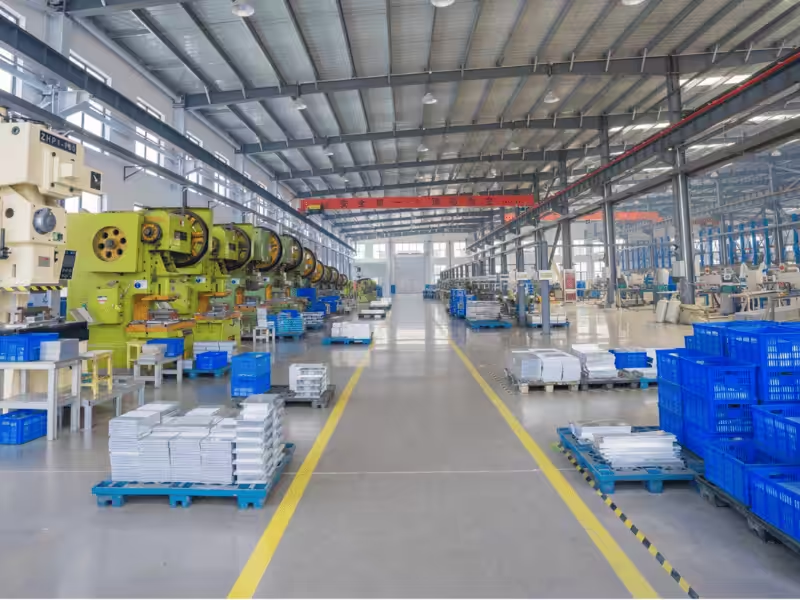
- Die-casting — Enables complex 3D geometries but yields lower thermal performance due to porosity.
- Skiving — Produces ultra-dense fins from a single billet, eliminating fin-to-base contact resistance.
- Machining / Bonded-fin — Delivers premium performance and design flexibility, at a higher unit cost.
💡 From Our Production Floor
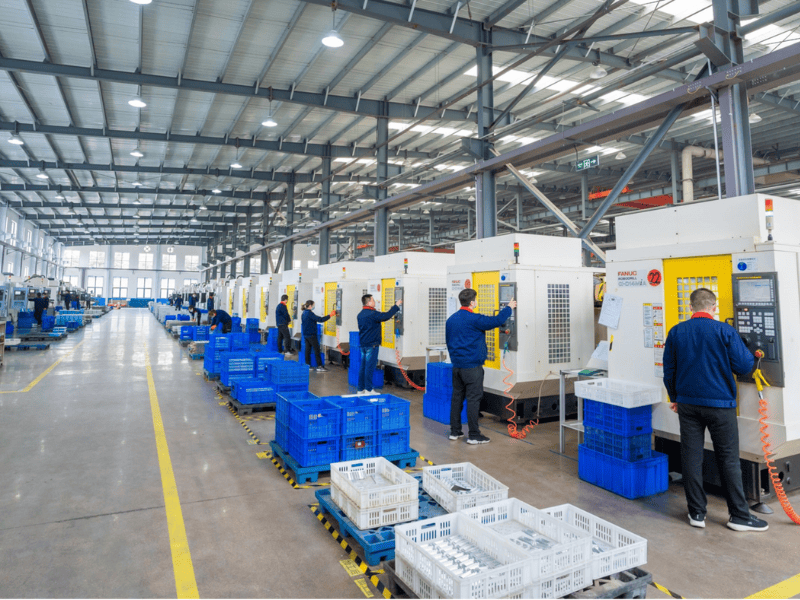
Having manufactured heat sinks across extrusion, skiving, bonded-fin, stamping, and copper-pipe embedding lines for over a decade, we’ve seen one consistent pattern: the “best” process is rarely about the process itself — it’s about matching it to the thermal load and production volume.
A few patterns worth sharing:
- Low-to-mid TDP applications → Extrusion remains the most cost-effective route. But once fin aspect ratios exceed ~16:1, tooling cost climbs sharply and yield drops — this is the threshold where buyers should reconsider skiving.
- High heat-flux density (5G base stations, IGBT power modules, server CPUs) → Skived or bonded-fin structures deliver noticeably more surface area per footprint, often outperforming larger extruded sinks in the same envelope.
- Localized hot spots → Embedding copper heat pipes into an aluminum base consistently outperforms a solid copper base on a cost-to-performance basis — typically at 40–50% lower material cost.
Our advice to buyers: Don’t specify a process — specify a thermal target (°C/W) and a unit cost ceiling, then let your manufacturer recommend the process. You’ll often get a better solution than the one in your original RFQ.
Air Cooling and Alternatives
- Air cooling remains the workhorse of thermal management — simple, reliable, and low-cost. It handles roughly 90% of electronics, from consumer devices to mid-power industrial systems.When TDP exceeds ~150 W or rack density climbs, liquid cooling takes over, offering 3–5× higher heat capacity per unit volume — now standard in AI servers and EV power electronics.At the extreme end, phase-change and immersion cooling address ultra-high heat-flux applications: hyperscale data centers, HPC clusters, and high-density GPU farms.
Applications in Electronic Devices
Heat sinks appear in nearly every powered device. Common applications fall into four tiers by thermal load:
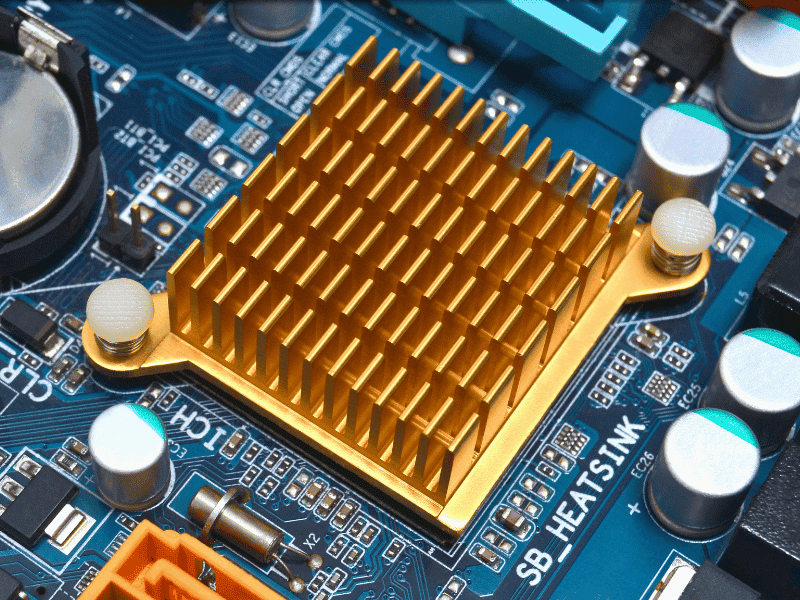
- CPU cooling — the highest-volume application; balances cost, footprint, and noise across desktops, laptops, and servers.
- GPU and power electronics — high heat-flux density (often >100 W/cm²) typically requires embedded heat pipes or vapor chambers to spread localized hot spots.
- SSD, RAM, and LED lighting — lower TDP applications served by compact passive aluminum sinks, often anodized for aesthetics.
- Industrial and renewable energy — inverters, EV chargers, and solar power conditioners face rising thermal demands as power densities climb, driving growth in custom heat sink design
Choosing and Installing a Heat Sink
Pre-Purchase Compatibility Checks
Before selecting a heat sink, verify three mechanical fundamentals — overlooking any one can force a complete redesign:
- Socket / footprint compatibility — confirm mounting pattern matches the chip package (LGA, BGA, or custom).
- Case clearance (Z-height) — measure available vertical space, including cable routing and EMI shielding.
- RAM and VRM interference — tower coolers and oversized fin arrays frequently collide with adjacent components.
Thermal Paste Application
The correct sequence is non-negotiable: clean → apply → mount → torque.
- Clean both surfaces with isopropyl alcohol (≥99%).
- Apply a rice-grain or thin-line bead of TIM — avoid over-application.
- Mount evenly, then torque diagonally in 2–3 passes to spec.
Post-Install Validation
- Record idle temperature immediately after boot (baseline).
- Run a 30+ minute stress test (Prime95, FurMark, or application-specific load).
- Confirm steady-state temperature stays within the chip’s thermal envelope, typically with ≥10 °C margin.
For B2B production deployments, validation should extend to batch sampling at the assembly line — not just engineering prototypes.
💡 A Lesson from 14+ Years of Customer Projects
In our experience supplying heat sinks to power electronics, telecom, and industrial customers, the #1 reason a project gets re-tooled is not thermal performance — it’s mechanical fit.
Before finalizing a design or placing a bulk order, confirm these in writing on the drawing:
- Mounting hole pattern and tolerance — even a 0.2 mm mismatch can cause assembly rejects at scale. Always specify positional tolerance, not just hole diameter.
- Maximum height clearance inside the enclosure — including cables, connectors, and EMI shielding (not just the bare PCB-to-lid distance).
- Surface treatment — anodizing color/thickness, or bare aluminum for soldering. This affects emissivity, electrical isolation, and downstream assembly compatibility.
- Flatness of the contact base — for high-TDP chips, specify ≤0.05 mm / 100 mm. Loose tolerance here is a silent performance killer that won’t show up until field deployment.
- Airflow direction vs. fin orientation — we’ve seen thermally correct designs lose 15–20% of capacity simply because fins ran across, not along, the dominant airflow path.
The economics are blunt: Catching these issues at the RFQ stage costs nothing. Catching them after tooling is built can delay a project by 4–6 weeks — and in tooling cost alone, often 3,000–3,000–3,000–15,000 in rework.
A good thermal supplier will ask for these specs before quoting, not after.
Measuring Cooling Performance
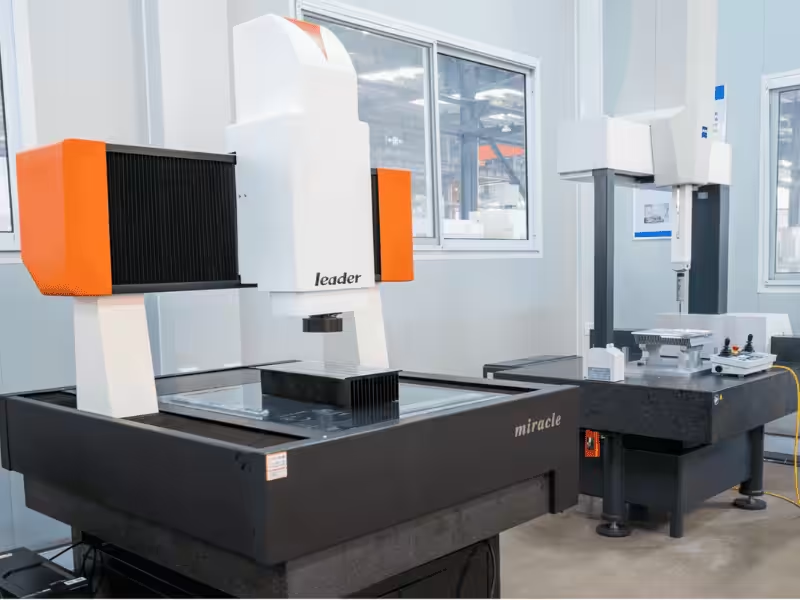
- Quantifying heat sink performance starts with thermal resistance (°C/W) — the lower the value, the better the cooling.
- Record temperatures at three states: idle, typical load, and full load.
- For validation, use HWMonitor, Core Temp, or AIDA64 on consumer systems; for industrial and B2B applications, an IR thermal camera reveals hot spots no software sensor can detect.
xMaintenance and Troubleshooting
Routine maintenance: clean dust every 3–6 months; check fan RPM and listen for bearing noise.
Overheating diagnosis — work through this order: dried thermal paste → loose mounting → blocked airflow → degraded fan → undersized heat sink.
Solving from cheapest to most disruptive fix saves time, downtime, and unnecessary hardware replacement.
Frequently Asked Questions
Q1: Can passive cooling work for low-power devices? Yes — under ~25 W TDP with adequate airflow, passive heat sinks are reliable, silent, and maintenance-free.
Q2: When do I need an active heat sink? Above ~35–40 W TDP, or inside sealed enclosures where natural convection is limited.
Q3: Can I reuse a heat sink after a CPU upgrade? Yes — if the socket is compatible, the TDP rating still has margin, and you reapply fresh thermal paste. Always re-validate temperatures under load before deployment.
Conclusion
So, which heat sink is right for you? It comes down to three clear paths:
- Passive — if you’re working with low TDP and need silent, fanless designs
- Active — if you’re cooling mainstream CPUs, GPUs, or mid-to-high TDP loads
- Hybrid — if your workloads vary or energy efficiency matters
Match your design to TDP, airflow, and mechanical constraints. As a dedicated thermal solutions provider, we’d love to help you validate those parameters with our engineers — before the first thermal failure, not after.