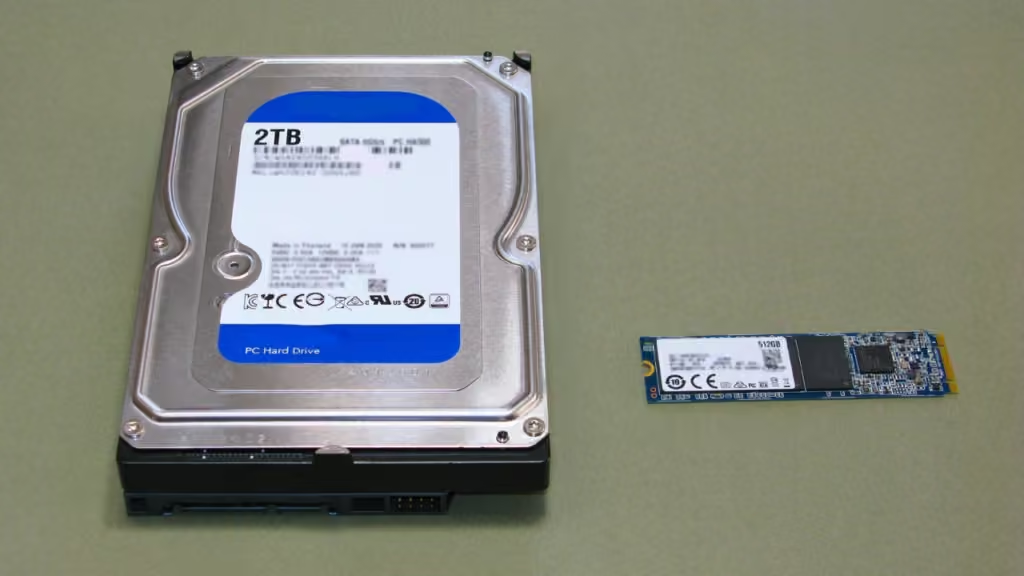
The GameStop NVMe SSD card for PlayStation 5 is an internal storage drive with a heatsink already attached. If you need more room for games, this is the complete assembly that goes into the PS5 expansion bay. If you already own a bare M.2 SSD and only need a heatsink, look for a standalone M.2 heatsink sized for the PS5 bay.
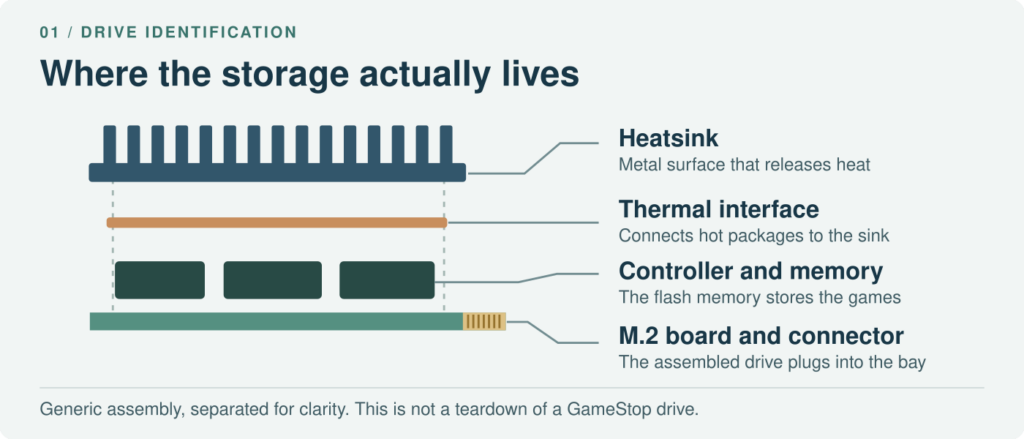
The memory chips store your games. The heatsink carries heat away from the chips; by itself, it adds no storage.
Match the GameStop model by capacity and UPC
All three US listings describe PCIe Gen4 x4 NVMe drives with integrated cooling. GameStop gives each capacity its own UPC, the number printed below the barcode. That is useful when a seller uses the same photo for several capacities.
| GameStop listing | UPC on the listing | Listed read speed |
|---|---|---|
| 1 TB SSD with heatsink | 840305903022 | Up to 6,400 MB/s |
| 2 TB SSD with heatsink | 840305903046 | Up to 7,400 MB/s |
| 4 TB SSD with heatsink | 840305905347 | Up to 6,400 MB/s |
For example, 7,400 MB/s is the write figure on the 1 TB page but the read figure on the 2 TB page. On the 4 TB page, the storage field says 4 TB even though one feature bullet mentions smaller capacities. Use the capacity field and barcode to resolve that discrepancy before you buy. The figures above are retailer specifications, not speeds measured in a PS5.
Check the drive with its heatsink attached
The PlayStation expansion-slot specification calls for an M.2 NVMe drive that supports PCIe Gen4 x4 and uses a Key M connector. Its supported capacity range is 250 GB to 8 TB. Sony recommends a sequential read speed of 5,500 MB/s or more; that number describes reading data, not writing it. An M.2 SATA drive can look similar but is not supported.
For fit, start with the dimensions of the finished assembly. The GameStop 1 TB specification lists 8 × 2.33 × 0.89 cm. That is 80 mm long, 23.3 mm wide and 8.9 mm thick. Sony supports lengths of 30, 42, 60, 80 and 110 mm. The 1 TB drive’s listed width is below the 25 mm maximum and its total thickness is below the 11.25 mm maximum.
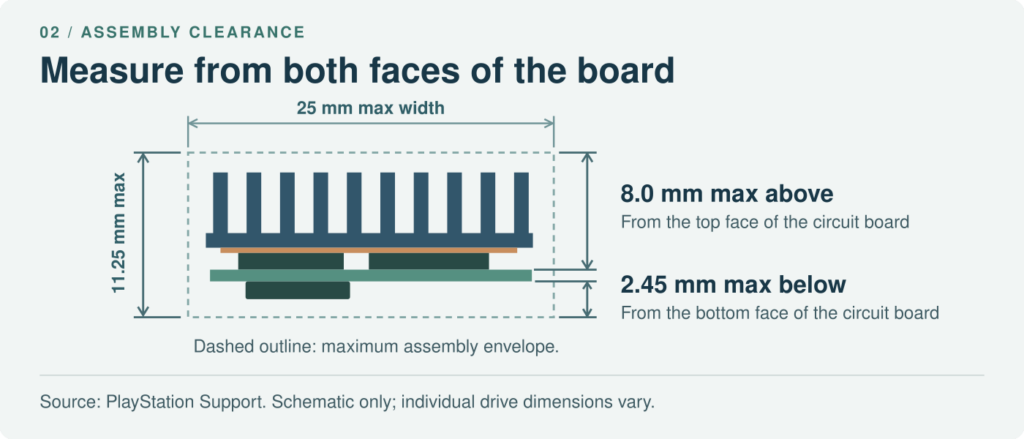

Measure from the board surface on each side: up to 8.0 mm above and 2.45 mm below. Both limits apply even when total thickness is within 11.25 mm.
The distinction matters. Subtract 8.9 from 11.25 and you get 2.35 mm, but that is not spare room above the drive. The retail listing does not say how much of the 8.9 mm sits on each side of the board. A hypothetical assembly that stands 8.2 mm above its board would exceed Sony’s upper limit even if its total thickness were under 11.25 mm.
When a separate heatsink makes sense
A bare compatible SSD needs a suitable cooling structure. Check the dimensions after fitting the cooler, and follow the cooler maker’s instructions for the thermal interface. For an SSD with factory cooling, leave the assembly intact. PlayStation Support advises against adding another heatsink to a drive that already has one.
Fit the drive before you format it
Use the installation guide for your PS5 model group. The outer cover comes off differently on CFI-1000 consoles and on CFI-2000 or CFI-7000 consoles. Across those designs, the drive still needs to sit squarely on its spacer with the expansion-slot cover back in place.
1. Prepare the console. Back up any files you need from the SSD first: first-time PS5 setup formats the entire drive and erases its contents. Update the console software, turn the PS5 fully off, unplug it and let it cool. Touch a grounded metal object before handling the drive.
2. Check the spacer and the screw. Position the spacer for the length of your drive. For the listed 80 mm model, use the 80 mm position. Seat the connector fully, then lower the board onto the spacer. The screw secures a board that is already seated; do not use it to pull the board down against an obstruction. If the console later fails to recognize the SSD, Kingston’s installation guide recommends rechecking connector alignment and the spacer.
3. Refit the cover. If the expansion-slot cover will not sit flat, stop before tightening it. Check the spacer position, screw seating and heatsink clearance. Refit the console cover before powering on. Follow the format prompt for a new drive, then check Settings > Storage > M.2 SSD Storage.
Playing PS5 games from M.2 storage
A compatible internal M.2 SSD can store and launch PS5 games. A USB extended storage drive can hold PS5 games, but you must copy them back to internal or M.2 storage to play them. That difference matters if your goal is a larger playable library.
What the advertised read speed tells you
The retail speed does not predict the load time of a particular game. Sony notes that even drives above its recommended read speed do not necessarily match the built-in SSD in every game. Choose the capacity you need without treating a peak transfer rate as a gaming benchmark.
A design note from HJTC
For engineers specifying a custom storage module, the outside dimensions are only half the drawing. HJTC works with aluminum and copper cooling components, including compact, dense skived-fin heatsinks. In our custom cooling work, customers often ask about thermal resistance and the flatness of the contact face. A sink can clear the lid and still make poor contact with the component underneath.
On a custom drawing, identify the contact area and the plane from which each height is measured. For a thermal comparison, specify the power, airflow and temperature measurement points. To discuss a custom electronics heatsink, send HJTC the board layout and available clearance.