
The best heatsink for your CPU is the one that handles your real workload, fits your system and stays within the noise level you can accept. For a mainstream desktop, the ARCTIC Freezer 36 is a useful starting point. The Thermalright Assassin X 120 Refined SE suits a tighter budget, while the Noctua NH-L12S addresses the different constraints of a compact case. These are recommendations for specific situations, supported by published reviews and manufacturer information.
A cooler that works well in one build can be a poor fit in another. Before choosing, check the exact CPU, motherboard settings, available space and type of work the computer will perform. This guide combines a practical product shortlist with the engineering questions that also matter when developing a custom cooling assembly.
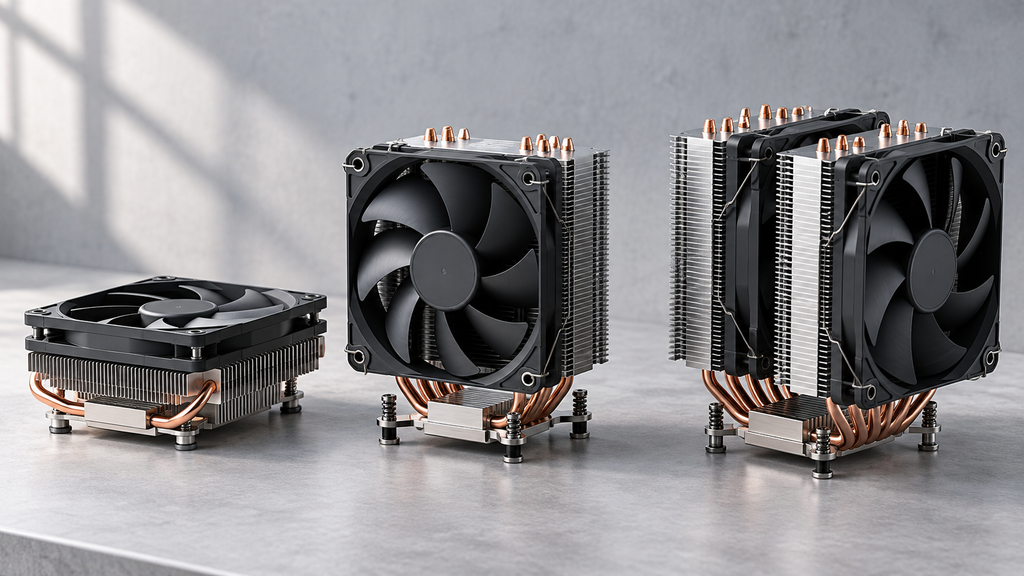
Best Heatsinks at a Glance
Start with the row that matches your main constraint, then check the detailed recommendation and compatibility information below.
| Your priority | Model to consider | Nominal height | Price position | Main check before buying |
|---|---|---|---|---|
| Mainstream desktop use | ARCTIC Freezer 36 | 159 mm | Budget to mainstream | Case height and Intel installation procedure |
| Lower initial cost | Thermalright Assassin X 120 Refined SE | 148 mm | Entry budget | Performance at your sustained CPU load |
| Quiet everyday operation | Scythe Mugen 6 SCMG-6000 | 154 mm | Mainstream | Review results at your preferred noise level |
| Compact case | Noctua NH-L12S | 70 or 86 mm | Premium compact | Fan position, RAM clearance and CPU suitability |
| Demanding CPU work with air cooling | Noctua NH-D15 G2 | 168 mm | Premium | Full installation envelope and correct variant |
Dimensions come from the manufacturers. The NH-L12S is 70 mm tall with its fan underneath the fins; the upper-fan arrangement requires more space and is listed at 86 mm. Raising a fan to clear memory can increase the installed height of other coolers.
The current official pages list support for AMD AM4 and AM5 and Intel LGA1700 and LGA1851 for these models. Confirm the mounting hardware supplied with the exact SKU, particularly when buying older stock.
Price positions describe the role of each product in the shortlist. When we checked Tom’s Hardware on October 12, 2026, its guide described the Assassin X 120 R SE at under US20andtheMugen6asoftenaroundUS40. Those are published review references, not live retailer quotations or HJTC selling prices. Compare local delivered prices before deciding.
How We Compare and Recommend Heatsinks
This article uses official specifications for dimensions and compatibility, and published independent reviews for comparative performance. It does not present the retail coolers as products tested in an HJTC laboratory.
The shortlist draws on PC Gamer, Tom’s Hardware and GamersNexus. Their test platforms and scoring priorities differ, so their recommendations help identify candidates rather than establish one combined ranking. For example, a value recommendation and a recommendation based on performance at a fixed noise level answer different buying questions.
We suggest evaluating each candidate in this order:
- Confirm that the cooler and its mounting kit fit the CPU, motherboard, case and memory.
- Find tests that resemble the CPU platform and workload you will use.
- Compare cooling performance at a noise level you can tolerate.
- Check installation access, fan replacement and the parts included.
- Compare the complete purchase cost against the benefit your system will receive.
Keep the exact model name in your notes. Different suffixes, fan configurations and base variants can represent different products. A review of one version should not automatically be treated as evidence for another.
Recommended Heatsinks for Different CPU Builds
For Mainstream PCs Choose a Balanced Starting Point
Our starting recommendation is the ARCTIC Freezer 36. PC Gamer selects it as its overall air-cooler recommendation, making it a reasonable candidate for a conventional desktop where value matters. That endorsement should still be checked against reviews relevant to your CPU.
ARCTIC specifies a 159 mm height, two 120 mm fans and four copper heatpipes working with an aluminum fin stack. The product supports current mainstream AMD and Intel mounting platforms. Its Intel installation uses ARCTIC’s contact-frame arrangement, so read the instructions before removing existing socket hardware.
The purchasing decision is whether it delivers enough cooling in your particular case. If you mainly use the computer for everyday applications and gaming, compare results at a representative load. If you spend hours rendering or compiling, give sustained-load testing more weight. A slightly cheaper cooler that cannot meet your operating requirements is not a saving; neither is an expensive upgrade whose extra capacity your workload rarely uses.
For Tight Budgets Start with the Required Workload
Consider the Thermalright Assassin X 120 Refined SE when initial cost is the priority. Thermalright lists a 148 mm heatsink height, four heatpipes and one 120 mm PWM fan. Tom’s Hardware includes the Assassin X 120 R SE as its entry-level air-cooler recommendation.
Its smaller footprint can make it easier to accommodate than a large tower. The limit to investigate is sustained thermal performance on your processor. A low purchase price does not establish suitability for a high-power CPU with unrestricted motherboard settings.
Write down the workload you expect to run, then look for a review that addresses it. If the cooler maintains the required performance at an acceptable sound level, spending more may add little value. If it runs near its practical limit, compare the delivered price of a larger alternative before purchasing. Include any mounting kit or fan you would otherwise need to buy separately.
For Quiet PCs Compare Cooling at the Same Noise Level
The Scythe Mugen 6 SCMG-6000 is worth considering for a quieter desktop. Tom’s Hardware highlights its quiet operation in its mid-size recommendation. Scythe lists a 154 mm overall height and an offset heatsink arrangement intended to improve access around memory and nearby motherboard components.
The standard SCMG-6000 uses one fan; the Dual Fan Black Edition is a separate configuration. Match the review and installation drawing to the version you plan to order.
For this build, judge a cooler by what you hear during normal use. A review that measures temperatures at a controlled noise level is more relevant than a chart showing every fan at maximum speed. Consider idle behavior too: a cooling setup that repeatedly changes speed during light work may be more distracting than one with a steadier fan curve.
Set your budget after defining the sound level and workload you want to support. A small thermal advantage alone may not justify a much more expensive assembly.
For Compact Cases Confirm the Complete Installation Envelope
The Noctua NH-L12S is a candidate when a normal tower will not fit. Its two fan positions create different installation envelopes. The low-profile arrangement places the fan below the fins and stands 70 mm high; mounting the fan above the fins increases clearance underneath but raises total height to 86 mm.
This is a packaging trade-off. Noctua identifies the cooler as unsuitable for CPUs producing high heat loads and directs buyers to its CPU compatibility information. Check that assessment before treating socket support as proof of adequate cooling.
Use the motherboard layout and case drawing together. Check memory modules, nearby heatsinks, power cables and the space between the fan and enclosure panel. Decide the fan position before ordering components. If the assembly requires a different orientation or taller memory, revisit the dimensions rather than relying on the lowest advertised height.
PC Gamer includes the NH-L12S in its compact-cooler recommendations. The useful lesson is to select around the actual space available, then confirm performance within that space.
For Sustained CPU Loads Evaluate a Larger Air Cooler
The Noctua NH-D15 G2 is a premium candidate for demanding work where a large air cooler fits. GamersNexus identifies it as its leading air-cooling option in the noise-normalized category of the cited roundup. That conclusion belongs to its tested platforms and conditions.
Noctua lists a 168 mm height, two 140 mm fans and a weight of 1,525 g with fans. Check the complete footprint and mounting instructions, including how the system will be transported. The G2 family also includes base variants intended for different contact conditions; follow Noctua’s guidance for the processor and mounting configuration you use.
The question is whether its measured benefit is useful to your workload. Compare it with less expensive candidates under a relevant sustained load. If a suitable air cooler cannot meet the temperature and noise target, evaluate a liquid-cooling alternative with enough space for its radiator and tubing.
Cooling Performance and Noise
Compare Results from a Consistent Test Setup
A temperature result becomes useful when you know the conditions behind it. Record the CPU, workload, power settings, ambient temperature, fan control and whether the test reached a stable operating condition.
GamersNexus’s cited roundup includes AM5 tests at different heat loads, with both full-speed and noise-normalized results. These are distinct comparisons: one explores performance with fans unrestricted, while the other compares cooling at a common acoustic target.
Use one reviewer’s consistent dataset to compare models whenever possible. Do not combine the temperature of one cooler from an open test bench with another cooler’s result from a different CPU in an enclosed case and treat the difference as a product ranking.
Understand Temperature Rise Above Ambient
Temperature rise above ambient is the measured component temperature minus the temperature of the cooling air. It provides context that a bare CPU temperature omits. Thermal-resistance analysis similarly depends on temperature difference and heat flow through a defined path.
As an illustrative calculation, a CPU at 80°C in 20°C air has a 60°C rise. A CPU at 83°C in 25°C air has a 58°C rise. These are invented arithmetic examples, not measurements of any cooler in this guide. They show why comparing the two CPU temperatures alone would be incomplete.
Subtracting ambient temperature still does not make different CPUs, mounting arrangements or workloads equivalent. Use the same temperature sensor definition and comparable operating conditions.
Check Performance Alongside Temperature
A useful review should make it possible to tell whether the processor maintained the intended workload and power settings. Otherwise, a lower temperature might accompany lower CPU performance.
Also avoid treating a fan’s standalone noise specification as the noise of the finished computer. For selection, prefer measurements of the assembled cooler under a documented test method, and assess the sound level at the fan setting you intend to use.
Socket Case and RAM Compatibility
Mechanical fit should be resolved before choosing between close thermal results. Work through these checks with the exact product documentation.

| Check | What to confirm |
|---|---|
| CPU socket and mounting kit | Correct backplate, brackets, spacers and fasteners for the specific socket |
| Case height | Total cooler height with fans in the installed position |
| Memory clearance | Clearance over the actual RAM modules, including any decorative heat spreaders |
| Motherboard layout | Space around VRM heatsinks, connectors, expansion slots and other nearby parts |
| Installation and servicing | Access to mounting screws, fan clips and components that may need replacement |
For example, a 159 mm cooler in a case advertised with 160 mm clearance leaves only 1 mm on paper. If the fan must be raised, the original comparison is no longer sufficient. Confirm the finished arrangement rather than assuming that the nominal dimensions guarantee a fit.
For a compact system, download the dimensional drawing before placing the order. It is much easier to revise a component list than to discover an interference after assembly. Cooler and case compatibility tools are useful starting points, especially where the manufacturer documents exceptions.
The same discipline applies to an OEM assembly. A mounting-hole drawing, component keep-out area and service-access requirement should form part of the cooling specification from the beginning.
Air Cooling or an AIO
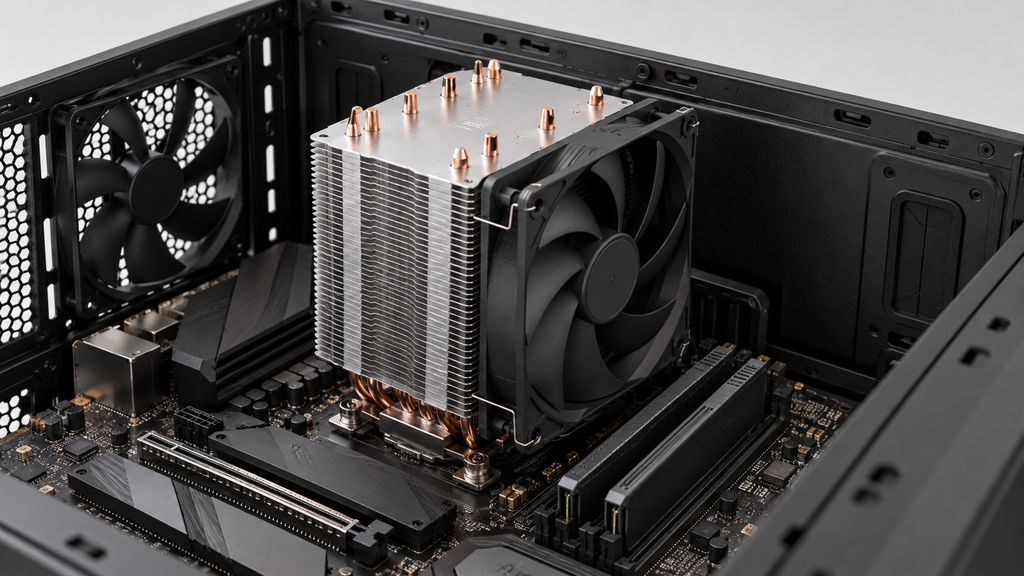
An air cooler transfers heat into a fin stack near the CPU, where airflow carries it away. An all-in-one liquid cooler transfers heat to a radiator elsewhere in the case and requires a pump as well as fans.
| Decision factor | Air cooler | AIO liquid cooler |
|---|---|---|
| Space to verify | Tower height, RAM and motherboard clearances | Radiator and fan thickness, pump block and tube route |
| Noise sources | Cooler fan or fans | Radiator fans and pump |
| Service considerations | Fan access and replacement | Fan service plus the sealed cooling assembly |
| Selection evidence | Relevant CPU temperatures and noise measurements | The same evidence, with radiator size and mounting position identified |
Noctua’s comparison discusses these differences, including compatibility, noise and repairability. A large radiator can offer useful cooling capacity, but the entire installation must fit the enclosure and suit the intended operating conditions.
For a conventional desktop, shortlist an air cooler first when its tested performance meets your needs and installation is straightforward. Evaluate an AIO when the available radiator space and measured benefit make it a better fit for the project.
Industrial liquid cooling requires a different assessment from purchasing a sealed desktop AIO. If you are developing a server or power-electronics assembly, define the coolant conditions and complete cooling loop before selecting a cold plate. HJTC’s liquid cold plate range provides a separate starting point for that discussion.
Copper Aluminum and Heat Pipes
Material choice influences heat spreading, weight and manufacturing options. Copper conducts heat more effectively than common heat-sink aluminum alloys, while aluminum offers lower density and practical manufacturing routes. Exact conductivity depends on the alloy, material condition and temperature.
In a CPU cooler, those properties work within an assembly. Copper bases or heatpipes can move heat into an aluminum fin stack, which exposes a larger area to the air. The official specifications for the Freezer 36 and NH-D15 G2 illustrate the use of both metals. [4, 9]
The material name alone cannot establish which complete cooler performs better. Base contact, heatpipe arrangement, fin geometry and the available airflow also affect the result. A thermal interface material fills small gaps at the contact surface; its installation is part of the heat-transfer path.
For an OEM project, manufacturing choices create additional options. Extrusion forms a continuous aluminum profile that can be cut and machined. Skiving creates fins from the base material. Assembled-fin designs allow the fins and base to be produced separately and joined. These routes should be evaluated against the intended geometry and production requirements.
For a profile-based design, explore HJTC’s extruded aluminum heat sinks. Treat the profile as an engineering candidate whose dimensions and cooling performance need to match the application.
When Your Project Needs a Custom Heatsink
A retail CPU cooler is designed around a defined socket and a typical PC layout. An OEM product may have different mounting points, several heat sources, a restricted air path or a height limit that makes a standard tower impractical.
At HJTC, we work with customers on heatsinks, liquid cold plates and industrial aluminum profiles. Our project discussions bring thermal requirements and manufacturability together, from development through production planning.
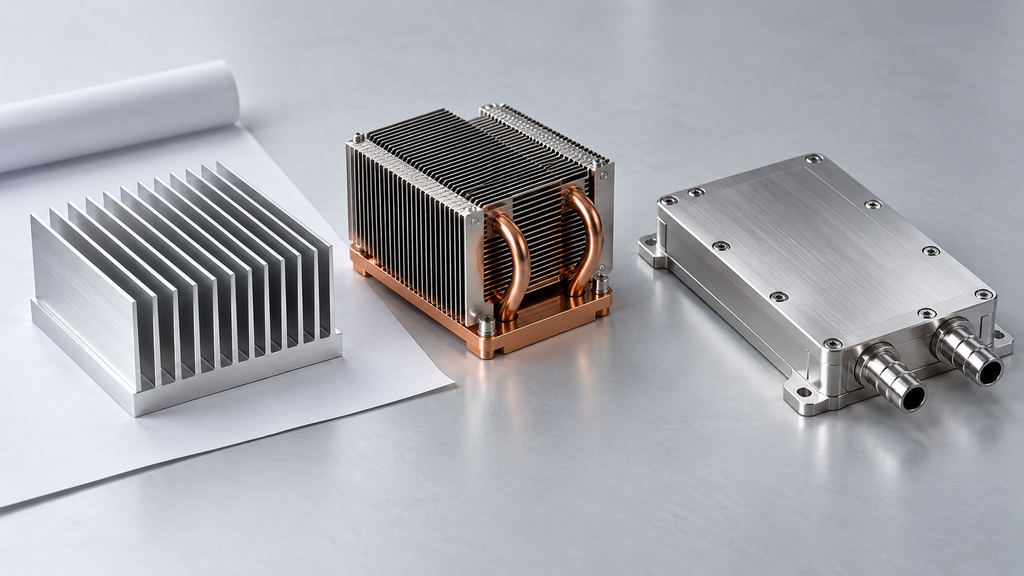
For CPU and server cooling assemblies, or electronics in applications such as industrial power equipment and communications, begin with the system requirements. A process discussion can then consider an extruded profile, skived or assembled fins, a heatpipe assembly, or a liquid cold plate. The appropriate choice depends on the actual thermal and mechanical constraints.
Prepare the following information when approaching HJTC:
- Heat-source dimensions and the location of each significant hotspot.
- Typical and maximum sustained heat load, with the operating conditions defined.
- Maximum permitted component or case temperature and cooling-air inlet temperature.
- Available length, width and height, mounting points and surrounding keep-out areas.
- Airflow direction and available fan information, or coolant inlet conditions for a cold plate.
- Prototype quantity, expected production quantity and required documentation.
These inputs give the engineering and sourcing discussion a concrete basis. A drawing or CAD model is especially useful when the main limitation is packaging. Performance should then be checked in an assembly representative of the intended product.
Discuss Your Custom Heatsink Requirements
Send your drawing, heat load and space constraints to HJTC to discuss a heatsink or cold-plate option for your project.
Frequently Asked Questions
How do I choose a heatsink for my CPU
Confirm the CPU socket and available space, then compare reviews for the processor or a relevant operating condition. Choose a candidate that supports your workload at an acceptable noise level. Check the exact SKU, mounting hardware and installed fan position before purchasing.
Is a larger heatsink always better
Size can provide more heat-transfer area, but performance also depends on the heat path and airflow through the fins. A larger assembly must still fit the system and receive adequate cooling air. Compare complete-cooler measurements under relevant conditions.
Can I use the same heatsink on Intel and AMD CPUs
Some models support both, but the correct socket-specific mounting parts are required. Check the manufacturer’s current compatibility list and the contents of the exact package. Compatibility with one socket from a brand does not establish compatibility with every processor platform from that brand.
Can a passive heatsink cool my CPU
Yes, if it is designed for passive operation and the processor and enclosure are suitable. Noctua’s NH-P1 is one purpose-built example with specific compatibility guidance. Removing the fan from an ordinary tower does not make it an equivalent passive design.
Does a cooler TDP rating guarantee compatibility
No. Noctua explains that CPU behavior, heat-source characteristics and the conditions used to assign a cooler rating can vary substantially. Check both mechanical compatibility and evidence of cooling performance for the particular processor and settings. A wattage label alone does not answer both questions.